JDK invalid target release
- JDK invalid target release error
- Java compiler target version
- Fix Java target release
- Java version compatibility error
Suppose we just run into this error:
invalid target release: 21

Module example SDK 21 is not compatible with the source version 21.

Upgrade Module SDK in project settings to 21 or higher. Open project settings.
And you use IntelliJ IDEA. The thing is that you need to double-check at least four places that you have chosen the proper JDK version.
Step #1
First things first, make sure that you have JDK 21 selected under File -> Project Settings -> Project -> SDK:
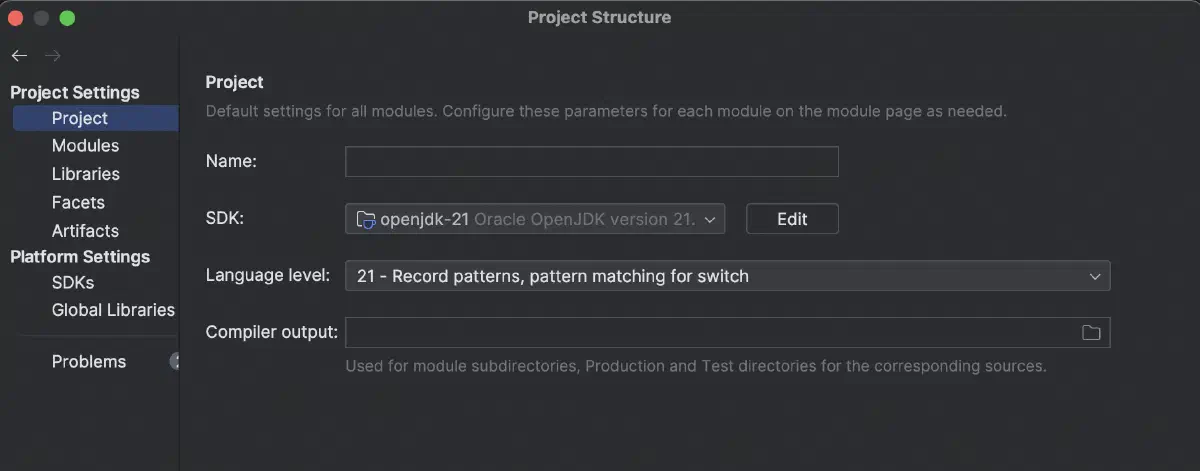
Step #2
Then go to Modules section in the left sidebar -> Dependencies tab -> Module SDK. Check you have chosen proper version of SDK for each project module:
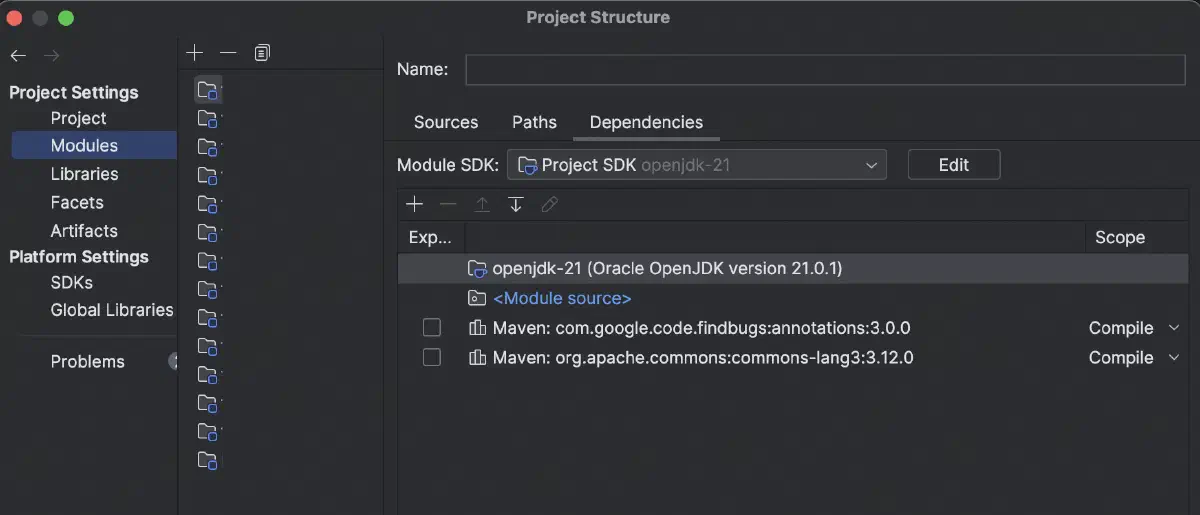
Step #3
Next place to ensure that you have chosen the proper version:
For Maven
Global Settings -> Build, Execution, Deployment -> Build Tools -> Maven -> Runner -> JRE:
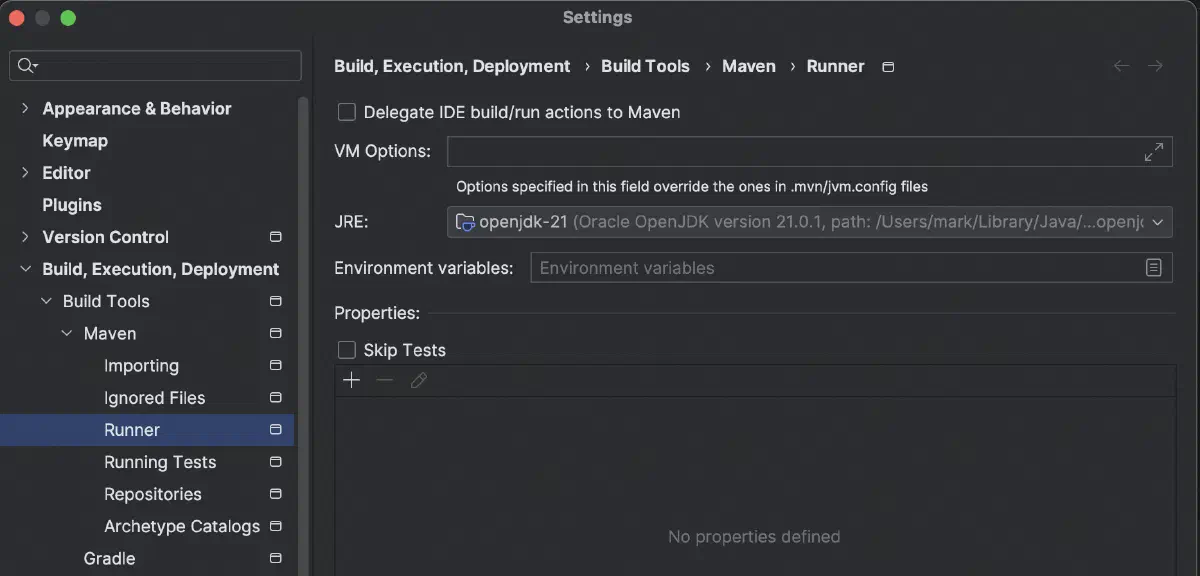
For Gradle
Global Settings -> Build, Execution, Deployment -> Build Tools -> Gradle -> Choose project -> Gradle JDK:
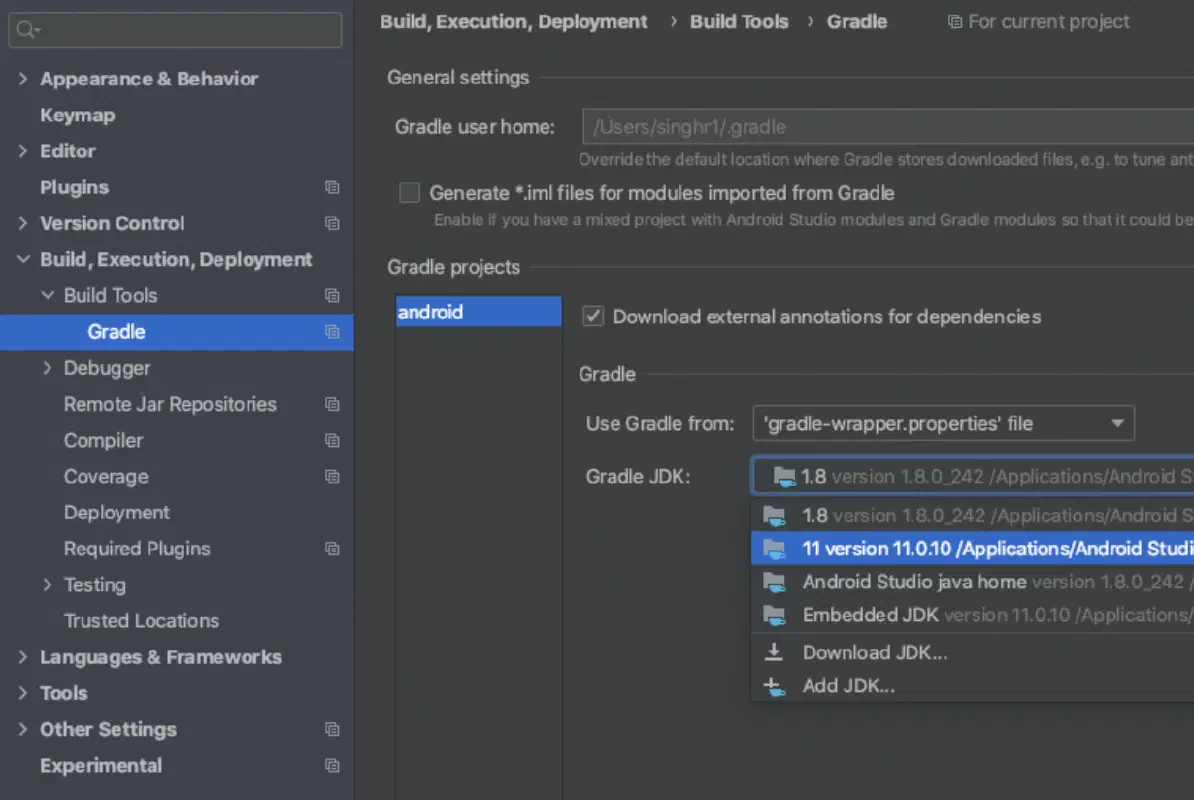
Step #4
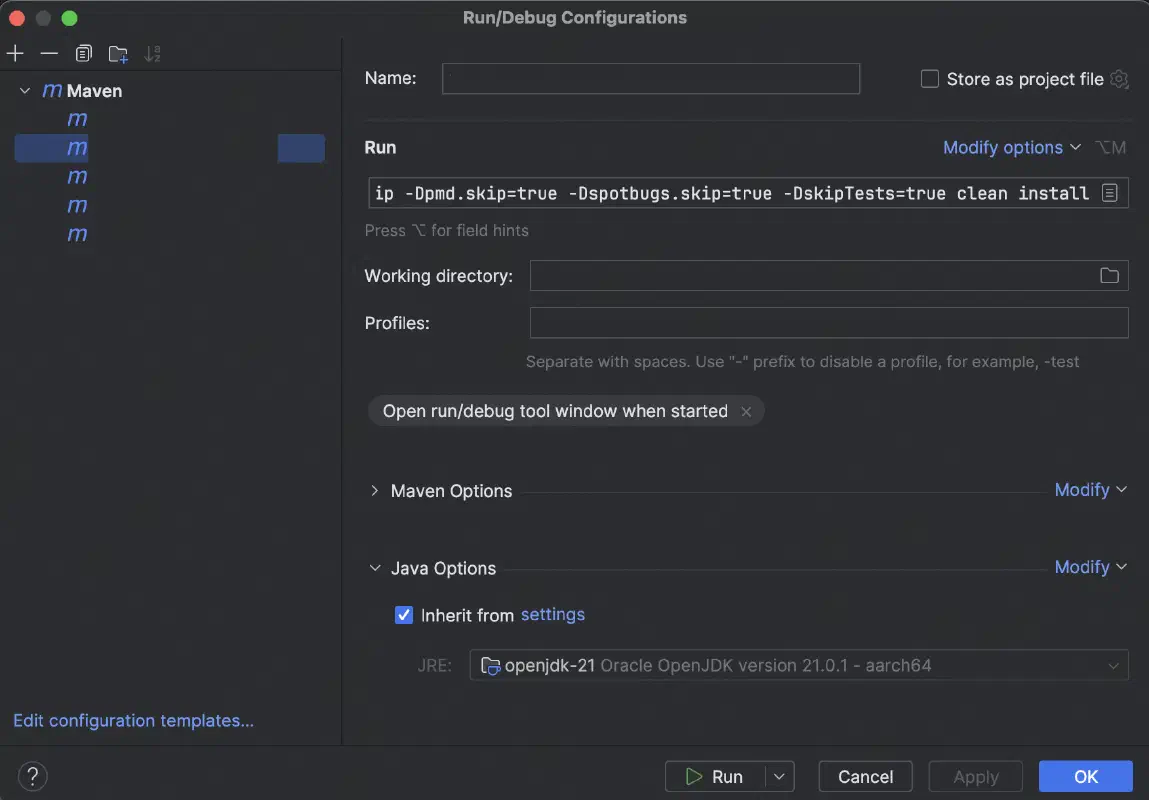
Finally, if you use Run Configurations, pay attention to Java Options expand section in the bottom of the edit dialog for Run Configuration. You may have JRE field overridden with an incorrect value:
Appendix
p.s.: double-check some other places in code, where you may have obsolete values like these:
For Maven:
<maven.compiler.source>
<maven.compiler.target>
<java.version>
For Gradle:
sourceCompatibility
targetCompatibility
useJavaVersions